Cloud Sites: Setting Up Your Rackspace Email On Outlook 2013
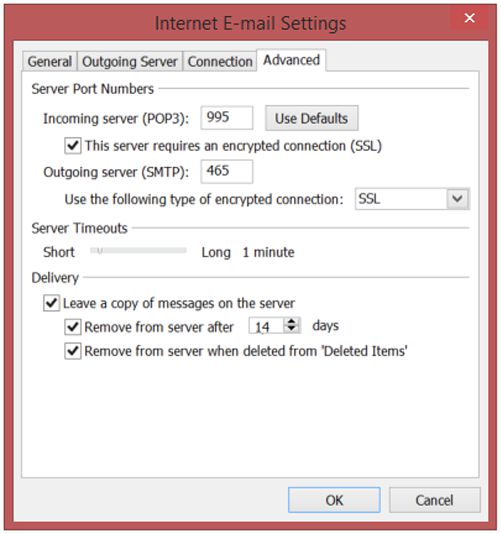
1. Open Outlook and select File. 2. Click Add Account. 3. Check Manual setup or additional server types and click Next. 4. Select POP or IMAP and click Next. 5. Enter Your Name and E-mail Address. 6. Select POP3 as