Setting Up Your Google Apps Email in Outlook 2007
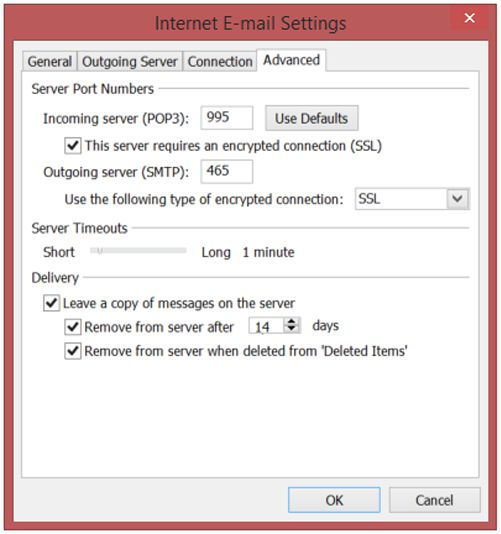
Open Outlook, click the TOOLS menu, and select EMAIL ACCOUNTS Choose the appropriate situation: If you’re adding an email account to this Outlook click NEW… and click Next. Check the box next to MANUALLY CONFIGURE SERVER SETTINGS OR ADDITIONAL SERVER