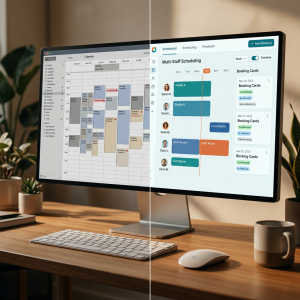

Most business owners we talk to already know manual scheduling is holding them back. They’ve felt the phone tag, the forgotten reminders, and the awkward double bookings. So why haven’t they switched?
Usually it comes down to one fear: “This is going to be a huge project.” They picture months of setup, confusing software, a team that refuses to use it, and a messy few weeks where nothing works.
We get it. Change feels risky when your schedule is the heartbeat of your business. So let’s pull back the curtain and show you exactly what switching to an automated scheduling system looks like with WideNet, day by day.
The Short Answer: Days, Not Months
For most businesses, the full process, from first conversation to going live, takes 5 to 7 business days. More complex setups, like large teams, lots of service types, or equipment inventory, may take up to two weeks. Either way, you’re measuring in days, not months.
Here’s how it breaks down.
Step 1: Discovery Call (Day 1)
Everything starts with a conversation. We want to understand how your business actually runs, not how a software company thinks it should run. Expect questions like:
- What services do you offer, and how long does each one take?
- How many team members take appointments, and who handles what?
- Do customers need to book rooms, spaces, or equipment?
- What information do you need from customers before they arrive?
- Do you want to collect deposits or full payment at booking?
- How and when should reminders go out?
Your homework: Have a list of your services, prices, and team schedules handy. That’s about it.
Step 2: Build and Customize (Days 2–5)
This is where the WideNet team does the heavy lifting. Based on your discovery call, we build your booking system around your exact workflow. That includes:
- Setting up each service with the right length, price, and staff
- Configuring bookable rooms, spaces, or equipment
- Designing custom forms to capture the details you need
- Setting up online payments and deposits
- Creating your automated SMS and email reminders
- Matching the booking experience to your brand
Because the system is built into your own website, customers never get bounced to someone else’s page. It looks and feels like your business, because it is.
Step 3: Integration and Testing (Days 5–6)
Before anything goes live, we test it. We connect the system to your website and set up real-time calendar sync, so every appointment shows up in one place. Then we run test bookings, check reminders, confirm payments process correctly, and make sure there’s no way to double-book a slot.
The goal is simple: by the time a real customer uses it, everything just works.
Step 4: Employee Training (Days 6–7)
This is the step most software companies skip, and it’s the one that matters most. A booking system only helps if your team is comfortable using it.
We train your staff on the day-to-day booking dashboard, which is designed to be intuitive and straightforward. Your team will learn how to view the schedule, manage appointments, and handle common customer requests.
Not tech-savvy? That’s exactly why training is included. And after launch, if you ever have a question, we’re a phone call away.
Step 5: Go Live and Start Saving (Day 7)
Launch day. Your booking system goes live on your website, and customers can book 24/7. From this point on:
- Customers book online any time, day or night
- Reminders go out automatically
- Payments and deposits come in at booking
- Your calendar stays in sync in real time
- Your phone gets a lot quieter
That last one surprises people. When 65% of clients prefer to book online 24/7, giving them that option takes a big chunk of scheduling calls off your plate. Time that used to go to phone tag, often 20+ hours a week, goes back to serving customers.
What Happens After Launch?
Your system is never “finished.” It grows with your business. Adding a new service, updating prices, hiring a new team member, or adding a room or piece of equipment is all covered by your monthly fee. Just let us know, and we’ll take care of it.
That’s the big difference between WideNet and a do-it-yourself scheduling app. You don’t manage the technology. We do.
What Results Can You Expect?
Every business is different, but the early results can come quickly. Webb Flooring in Pell City, Alabama, increased bookings by 40% in its first month after going live with WideNet. As their owner put it, “WideNet transformed how we do business.”
Most businesses notice the change right away: fewer scheduling calls, fewer no-shows thanks to automated reminders, and more bookings coming in after hours.
Common Questions Before Getting Started
How much does it cost? WideNet’s Business Online Booking System is $97/month, with no surprises and no hidden fees.
Will this disrupt my business during setup? No. Your current process keeps running until the new system is tested and your team is trained.
What if I cancel? Your booking system lives on your website, not an outside platform, and we’ll work with you on a transition if you ever discontinue service.
Your Calendar Is Waiting
For more than 20 years, WideNet Consulting has helped businesses in Anniston, Oxford, and across North Alabama work smarter online. If you’ve been putting off online booking because it sounds like a big project, we’d love to show you how simple it can be.
A week from now, you could be fully booked instead of playing phone tag. Book your free consultation or call WideNet at 256-241-6112.
Related reading: From Sticky Notes to Sales Pipelines: A North Alabama Business Owner’s Guide to CRM Automation